
PDF files and documents are widely used which were created by Adobe Systems and to read it they have launched Adobe Acrobat Reader which is a must install software. However advanced PC users wouldn’t prefer to go with Acrobat Reader as it occupies a large disk space and file size is little big to download which limits its uses and open the floodgates for alternatives. There are many free alternatives to Adobe Acrobat Readers like Foxit Reader, Sumatra PDF Reader and many others. But those alternatives are must download and install program.
So how would you view a PDF document which you have received in your mails? Download it and view it? Yes, that also one procedure but there is one another simple procedure is to view them directly into your browser or through any site offering ‘view pdf online’. Here are some of the ways by which you can view your PDF online without any need of any software.
PDF Escape
PDF Escape is one of the PDF viewer which can read pdf files online without the need of any software to be installed.
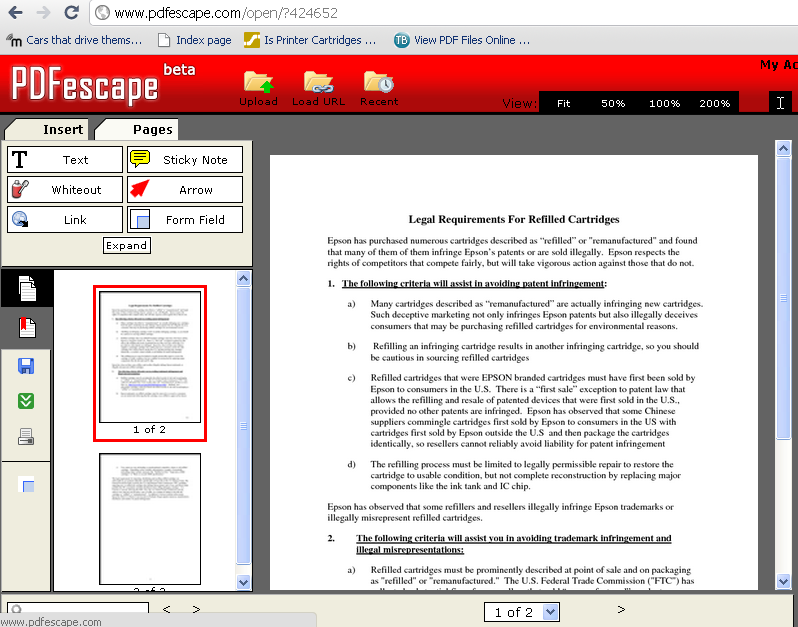
With PDFescape you can read PDF documents, edit them and also form filler. You can also implement PDFescape on your website and it has following features
- Uploading documents from your pc to site and view them
- Open PDF directly in browswer without opening them
- Create a free account to store you PDF documents
Google Docs Conversion
Other easy process of viewing PDF files online to open whatever documents that you receive in Google Docs supported reader. For this you need to be in Gmail and suppose if you have received a .xls file or .docs file. You click on Open with Google Docs on the particular attachment, Google Docs will automatically open in supported file format thus making you easy access to your PDF documents without any need of PDF Software.
Samurajdata
Samurajdata is a free site which does the purpose of a online pdf viewer. It supports direct file upload from your computer or direct URL fetch. Samurajdata is an open source program.
Browse Samurajdata here.