
When you have images, photos and wallpapers you can do lot many things over it and there are a dozen of software available meant for a specific purpose. Earlier we have written on Remove Red Eye Effects from photos, we had also seen that you can also apply batch Watermark with online tools. Moreover there are many online tools available meant for each purpose. One of the advanced options having a effect is splitting your image in smaller parts by slicing the images. Still didn’t get what I meant? This image can explain you what I mean-
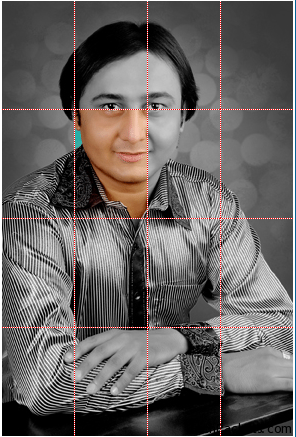
Online Image Splitter an online tool available at HTMLKit.com which uses a technique to slice a larger image into smaller parts such that its loads faster. Its makes easier to slice images, download it as HTML tags and HTML tags all together again makes slices back together.
Image splitter are used to drastically speed up the loading of huge size images in HTML pages. With this you can split your image for pasting in an HTML table.
1. Upload a photo from your local drive and click on Start. Image format like GIF, JPG, PNG are accepted.
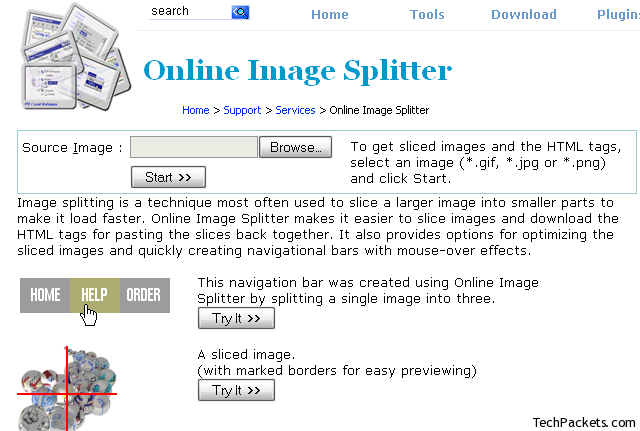
2. Now you have many options like how many number of rows and columns you want,  Advanced options like
- Enable link
- Mouse over effect
- Preview border
- Output image file format
- Number of color
You can also directly download image from here once the process is done with a direct download link button available there.
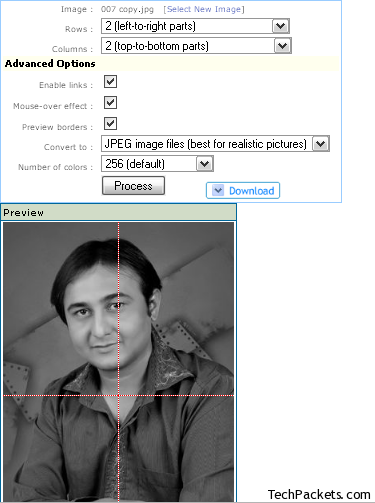
See the example of a photo I have divided it into 2 rows x 2 columns.
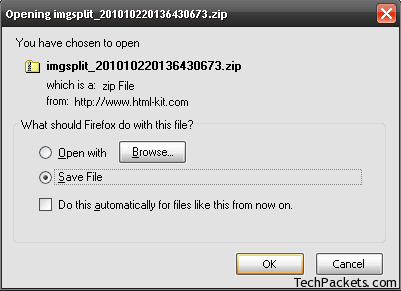
Once you hit ‘Process‘ button it do the necessary action and you can download the output file too.
You can slice over any image section to check the mouse over effect. Image Splitter is recommended if you have extremely size images since it serves no purpose for small size images.