

 From now, you will not require any computer expert or even a professional photographer to edit your photographs; many times we would want to fill in many online forms where we need to convert or change the format of the pictures as per the requirement. All you will be needing to do this is a software tool called Black and White Photo Maker. With this software, you can not only convert your photos to black and white, but can also crop, resize or convert any image format like JPEG, BMP, GIF, PNG, TGA, ICO, etc. very easily in a simple to use user interface. Using this software is very simple, all you need to do is to just drag the image file into this utility, crop the area which you want to and simply resize the image and export it to any image file as you wish.
Procedure to use Black and White Photo maker software:
- First of all you will have to download and install this Photo maker Software. After installing, just open this software as shown below.

- Now, after opening this software tool, just drag the photo which you wish to modify as shown in the below screen shot.
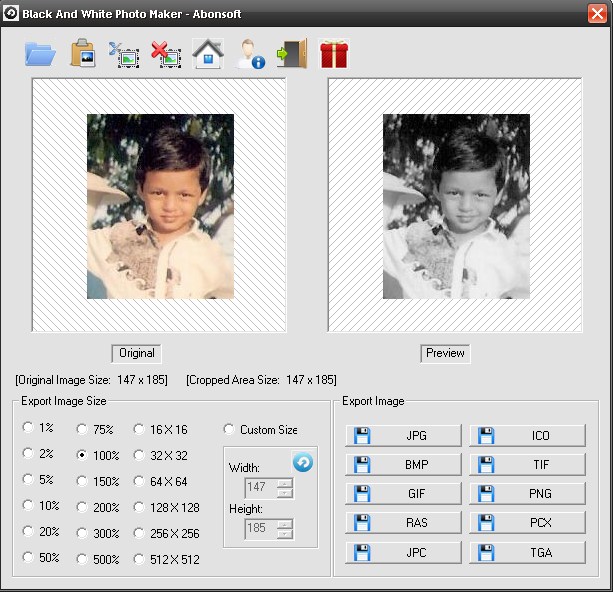
- After dragging the photo, all you need to do is to just select the credentials like, to what dimension you wish to change the image to and after that just select the format to which you want the photo to be saved in, like JPG, BMP, GIF or to any other image format.
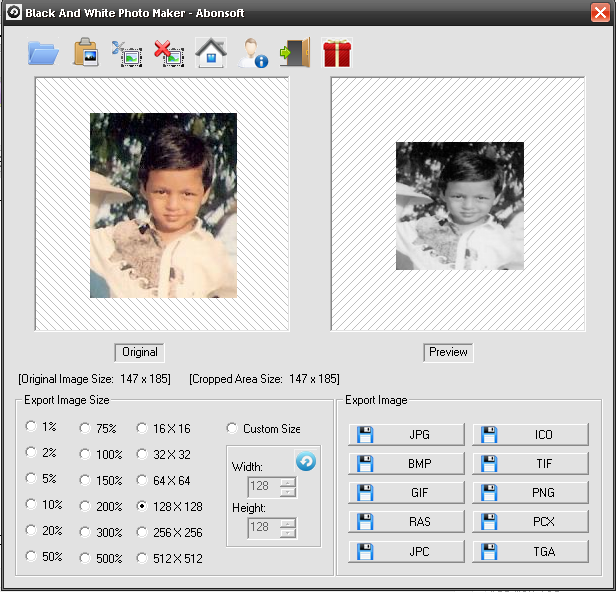
- Now, just click on the format which you wish to save and you will see that a pop up will be popped up where in you will have to key in the folder and name which you wish to save as shown in the below screen shot.

That’s it, you have now changed the photo as per your needs. The best part of this software is that this one is an open source tool and is a FREE to use tool, so you can always keep this tool a handy one. So, do download and try Black and White photo Maker software tool.
Password : techpackets.com